Retview: A Smarter Way to Review Designs, Manage Feedback, and Approve Drafts
By Onyekachi Victory · September 28, 2026

Advertisement · 336×280
INTRODUCTION
Design feedback can become difficult when comments are spread across emails, chat messages, screenshots, and different file versions. Retview brings the review process into one focused workspace, giving designers and clients a structured way to share drafts, place feedback directly on creative work, discuss individual issues, and move designs toward approval.WHAT IS Retview?
Retview is a design feedback and proofing application for teams, designers, agencies, freelancers, and clients who need a clear way to review creative drafts. Instead of relying on vague comments, reviewers can place feedback directly on the design. Each annotation can have its own conversation, status, priority, assignee, tags, and audit history.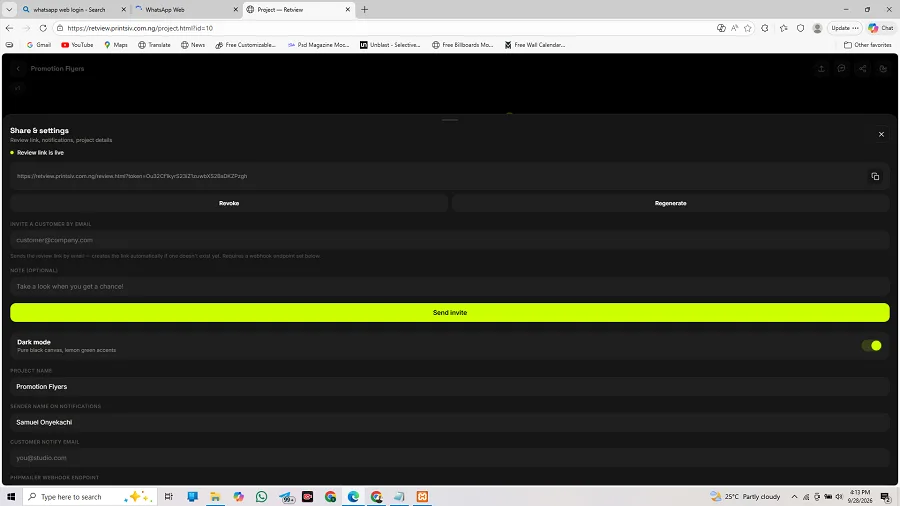
KEY FEATURES AND FUNCTIONALITIES
- 1. PROJECT-BASED DESIGN REVIEW
- Retview organizes work into projects. Each project can contain its own drafts, review settings, customer notification address, sharing configuration, and review activity.
- 2. MULTI-VERSION DRAFT MANAGEMENT
- Teams can upload new versions without overwriting earlier drafts. Each upload receives a version number, creating a clear history of the design process.
- 3. PDF AND IMAGE REVIEW
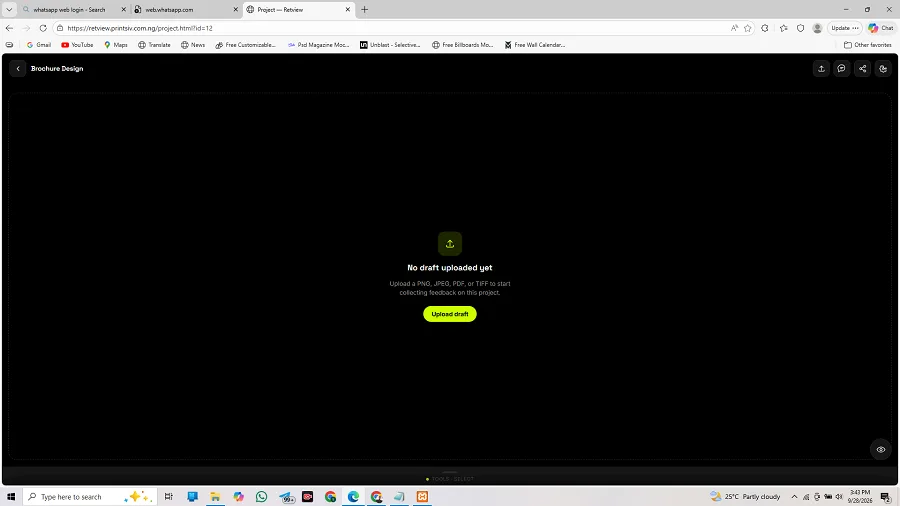
- The application supports visual review of PNG, JPEG, and PDF assets, with upload validation and size limits. PDF projects can be reviewed page by page.
- 4. PRECISE ON-CANVAS ANNOTATIONS
- Reviewers can place pin, freehand, bounding-box, and arrow annotations directly on a design. Normalized geometry helps annotations remain correctly positioned across different screen sizes and zoom levels.
- 5. THREADED COMMENTS
- Every annotation can have its own discussion thread, keeping conversations connected to the exact design issue being discussed.
- 6. REACTIONS AND QUICK FEEDBACK
- Comment threads support quick reactions including thumbs-up, heart, laughter, surprise, celebration, and eyes.
- 7. ISSUE WORKFLOW MANAGEMENT
- Annotations support Open, In Progress, Resolved, Reopened, and Rejected states, together with Low, Normal, High, and Urgent priorities.
- 8. ASSIGNMENTS AND TAGS
- Feedback can be assigned to project members and organized with tags. Project membership supports owner, editor, and reviewer roles.
- 9. PROJECT MEMBER MANAGEMENT
- Project owners can add active users, assign roles, change roles, and remove members, providing structured team collaboration.
- 10. SECURE SHARE LINKS
- Designers can create public customer review links using randomly generated tokens. Links can be revoked or regenerated when access needs to change.
- 11. CUSTOMER INVITATIONS
- Designers can invite customers by email with an optional message and review link. The customer's address can also be used for future project notifications.
- 12. FORMAL APPROVAL WORKFLOW
- Retview provides a structured workflow: Draft → In Review → Changes Requested → Ready for Approval → Approved. Customers can approve or request changes at the appropriate stage.
- 13. APPROVAL HISTORYWorkflow
- transitions and approval decisions are retained in approval history, creating a record of the review process. Approved drafts are protected from further review writes.
- 14. VISUAL VERSION COMPARISONProjects
- with multiple versions can be compared side by side, as an overlay, or through a difference view. PDF comparisons support page navigation.
- 15. AUDIT HISTORY
- Annotation activity can be recorded in an audit log with actor information, actions, details, and timestamps.
- 16. ADMIN USER MANAGEMENT
- Administrators can view users, review pending accounts, approve accounts, suspend or reactivate accounts, grant or remove administrator access, and delete accounts.
- 17. ACCOUNT APPROVAL NOTIFICATIONS
- New registrations can remain pending until approved. Configured administrators can receive new-account notifications, while approved users can receive an approval email.
- 18. PASSWORD RESET
- Retview includes a password-reset workflow using cryptographically generated reset tokens. Reset tokens are hashed before storage and designed to expire.
- 19. EMAIL NOTIFICATIONS WITH PHPMailer
- The application can connect to a separate PHP/PHPMailer mailer service for invitations, comments, password resets, pending-account notices, and account-approval notifications.
- 20. SIGNED EMAIL WEBHOOKS
- Webhook requests can use HMAC-SHA256 signatures. The PHP mailer verifies the signature before sending the email, helping prevent unauthorized use of the mail endpoint.
- 21. RESPONSIVE INTERFACE
- The frontend includes responsive, mobile-oriented views for authentication, dashboards, projects, review pages, administration, workflow management, and version comparison.
- 22. DOWNLOAD AND REVIEW ACCESS
- Authorized users can view and download draft assets, while customer-facing share links expose only the review content intended for external reviewers.
- 23. AUTHENTICATED PROJECT ACCESS
- Private project operations require authenticated access, while administrator permissions and project ownership provide additional authorization boundaries.
- 24. DEPLOYMENT FLEXIBILITY
- The repository includes guidance for local development, cPanel Node.js hosting, VPS deployment, Apache reverse proxy configuration, system, and separate PHP/PHPMailer hosting.
WHO CAN USE RETVIEW?
Retview can be useful for graphic designers, branding agencies, web designers, UI/UX designers, creative agencies, freelancers, marketing teams, printing and production teams, design departments, and clients reviewing creative work.A typical workflow is simple: upload a brochure or design proof, share the review link, let the customer place comments directly on the artwork, resolve requested changes, upload a new version, compare revisions, and move the final draft through approval.
HOW RETVIEW IMPROVES THE REVIEW PROCESS
Traditional review can involve sending files by email, receiving vague comments, revising the artwork, and trying to keep multiple versions organized. Retview connects these activities in one visual review environment.A structured workflow is:1. Create a project.2. Upload a draft.3. Share the review link.4. Customer places annotations directly on the design.5. Participants discuss each annotation.6. Issues are assigned and tracked.7. Designer uploads a new version.8. Versions are compared.9. Customer requests changes or approves the draft.10. Approval history remains available for reference.